Get Started
Get Started


Video episodes from Apple Podcasts are about to appear in the Apple TV app, on smart TVs and other devices in five countries. Here's what's changing, what Apple's early numbers show and the checklist to work through before launch.

Video podcasts are moving into the living room on one more front. Apple has confirmed that video episodes from Apple Podcasts are coming to the Apple TV app, the same app people already open to watch films and series on their TVs.
It's a bigger step than it sounds. Back in September, Apple brought Apple Podcasts video to Mac and Apple TV, but viewers still had to go looking for the Podcasts app. Now video podcasts will sit inside an app built for lean-back viewing, alongside everything else people watch on a big screen.
Apple's support page for creators puts it simply: "Coming soon, video podcast episodes in Apple Podcasts will be available on the Apple TV app." Here's what we know so far:
Apple hasn't confirmed a release date. The feature is in Apple's latest developer betas, and Podnews expects the public release with the next software update, possibly before Christmas based on past release timing.
"It's really about discovery and helping the creators to reach a new audience." Oliver Schusser, Apple, speaking to The New York Times
Alongside the announcement, Apple shared figures with the industry, reported by Podnews. In the last three months, the number of shows publishing video on Apple Podcasts has more than doubled, and the video episode catalog has nearly tripled. Most striking of all, top podcasts that introduced video saw their total show audience grow by more than 20% on average.
That lines up with what independent shows have already seen. We looked at what happens when a podcast adds video to Apple Podcasts earlier this year, and the pattern was the same: video brings in people who wouldn't have found the audio feed.
The reach of the Apple TV app is the other half of the story. According to The New York Times, as reported by MacRumors, the app is available on more than one billion devices, including smart TVs, streaming sticks and games consoles.
Read more: Smart speakers never took off in podcasting. Smart TVs just did.
Apple isn't creating a habit here. It's catching up with one. YouTube says viewers watched more than 700 million hours of podcasts on living room devices in October 2025, up from 400 million hours a year earlier. Cumulus Media and Signal Hill Insights' Spring 2026 Podcast Download report found that 38% of weekly podcast consumers now use a smart TV to access podcasts, up from 32% a year earlier.
If your show is already on YouTube, you've probably seen this shift in your own analytics. And if you haven't yet asked whether your show is ready for the big screen, the Apple TV app is a good reason to do it now.
1. Publish video the way Apple prefers
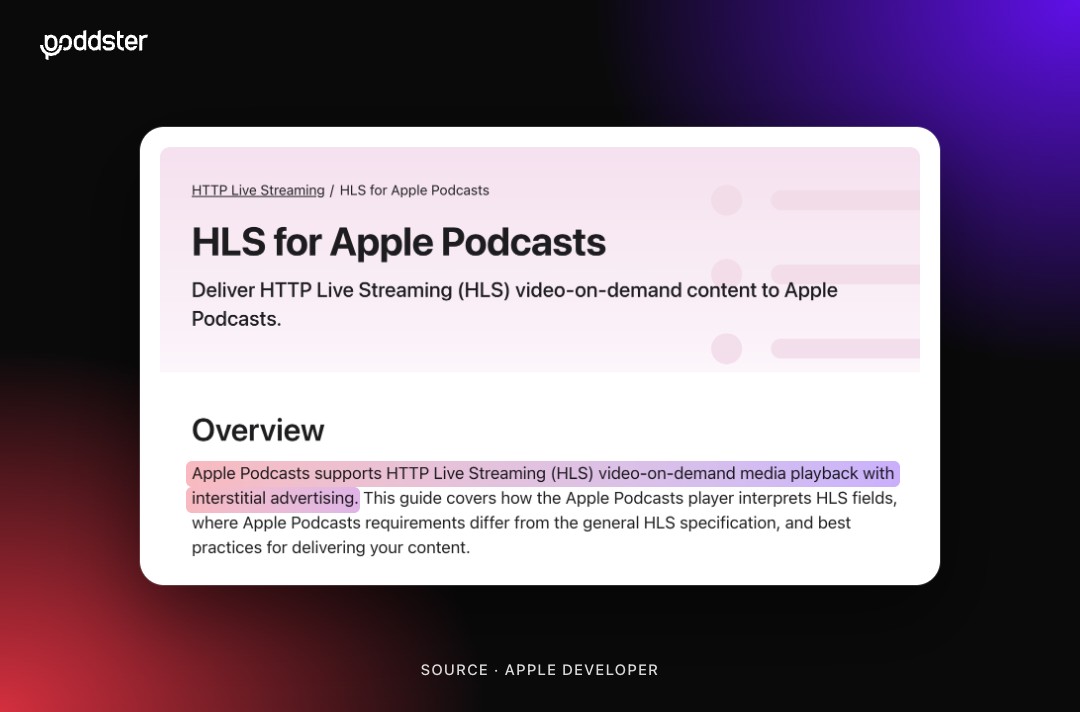
Apple calls HLS video the preferred method for distributing video on Apple Podcasts, and it's enabled through your podcast host. Most major hosts now support video on Apple Podcasts, and Podnews notes that all of the top ten hosts either offer it or have an upgrade path. If you're unsure where to start, our guide to Apple's HLS video podcast spec covers what your production team needs.
2. Deliver in HD, with captions
Apple's best practices for the Apple TV app are to deliver HD video (1080p or 4K) and include closed captions and subtitles. A soft, low-bitrate video that looks fine on a phone will look much worse on a 65-inch TV.
3. Shoot for a TV, not just a phone
Big screens show everything: uneven lighting, a cluttered background, a camera angle that cuts off the top of someone's head. A clean set, good lighting and well-framed wide and close shots now matter on Apple's platform as much as on YouTube.
4. Prepare your big-screen artwork
Apple has a separate artwork format for TV-style placements called Universal Show Art: a full-bleed 16:9 image (5244 by 2950 pixels) with no text, logos or show title in it, plus a separate single-colour logo. Apple says this artwork is required for a show to be considered for TV editorial placements. You can also submit a 15 to 30 second Show Preview, a short motion teaser for your show.
5. Design thumbnails for distance
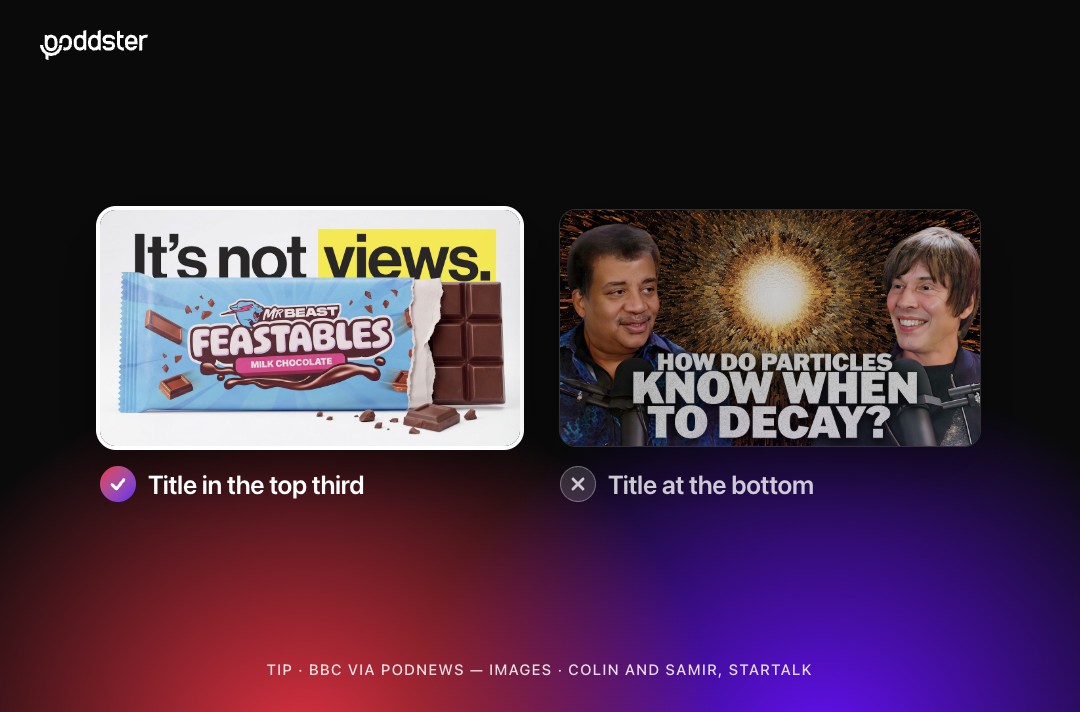
Episode thumbnails read differently from across a room. Use fewer words, larger type and strong contrast. The same thinking applies on YouTube, where we've shared a simple thumbnail tip for smart TV screens.
6. Check your subscription setup
If your video episodes sit behind an Apple Podcasts subscription, they won't appear in the Apple TV app. Make sure you have enough free, public video episodes to give new viewers a reason to find you.
Every major platform is now competing for podcast viewing on the TV. Apple's move means a video podcast published through your host could appear in one of the most-used entertainment apps in five countries, with no extra deal to sign. The shows that benefit first will be the ones that already look good on a big screen.
Want your podcast to look as good on a TV as it does on a phone? Talk to the Poddster team about filming and editing a video podcast built for every screen.








Join 5.1K podcasters, creators, and brands already producing, editing and growing their video content with the world's #1 podcast studio brand.